任务3:模型训练与优化
老年人情绪检测模型训练实践
步骤一:数据集获取与检查
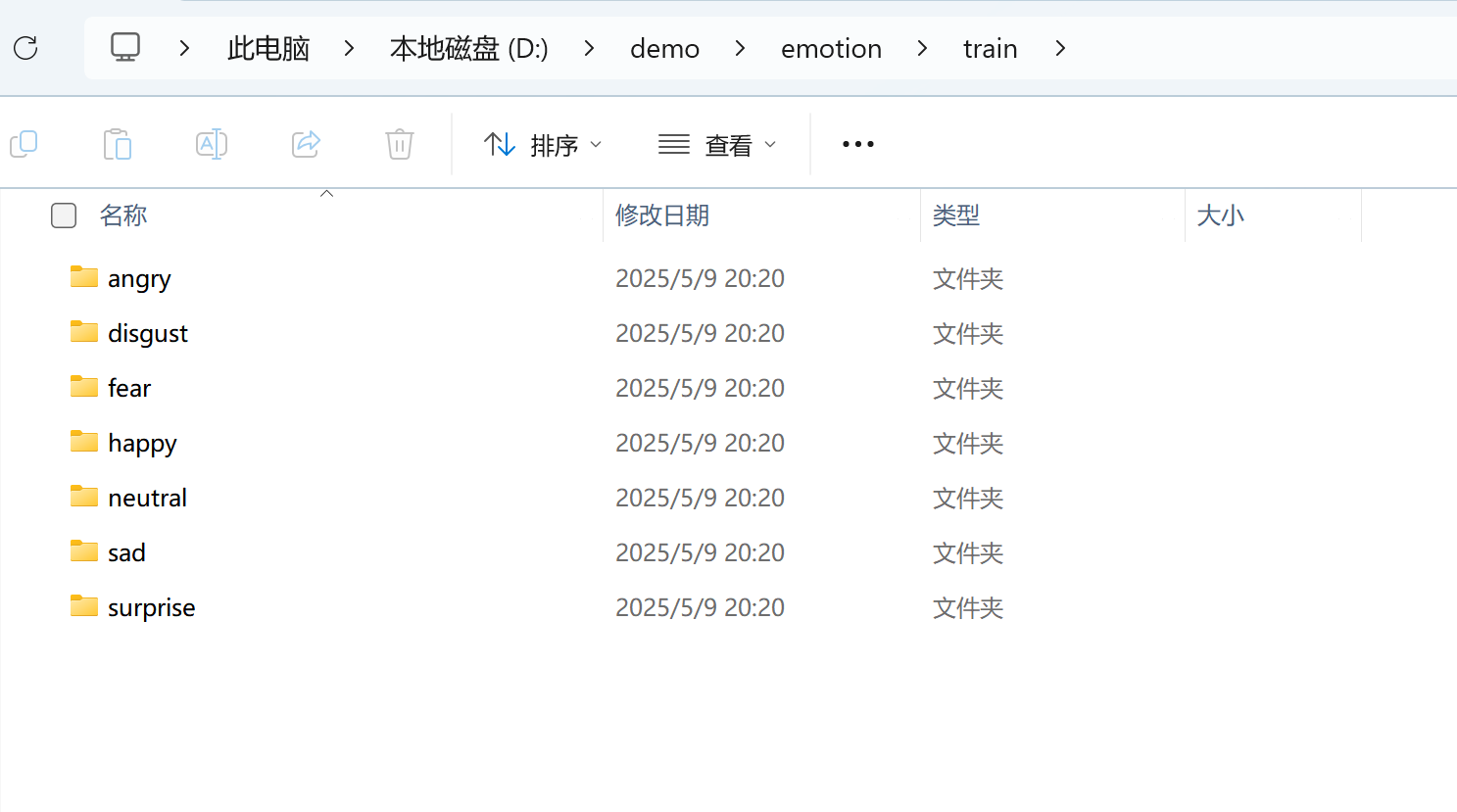
1.使用TensorFlow训练AI模型,识别老年人7种人脸情绪:愤怒(angry)、厌恶(disgust)、害怕(fear)、开心(happy)、伤心(sad)、惊讶(surprise)、中性(neutral)。
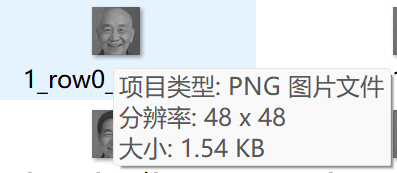
3.检查数据集下7个目录中图片格式是否为灰度格式,像素大小是否为48*48。如下图所示:
步骤二:创建训练项目
1.打开PyCharm,创建项目,命名为emotion,存储在目录
C:\demo。2.在PyCharm终端运行下面的指令检查安装包是否安装:
pip show tensorflow numpy matplotlib pandas scikit-learn Pillow opencv-python3. 若未安装,复制.venv.zip,解压覆盖
C:\demo\emotion下的.venv目录。
步骤三:构建训练代码
1.使用卷积神经网络(CNN),包含3个卷积层、池化层、Dropout层和全连接层。
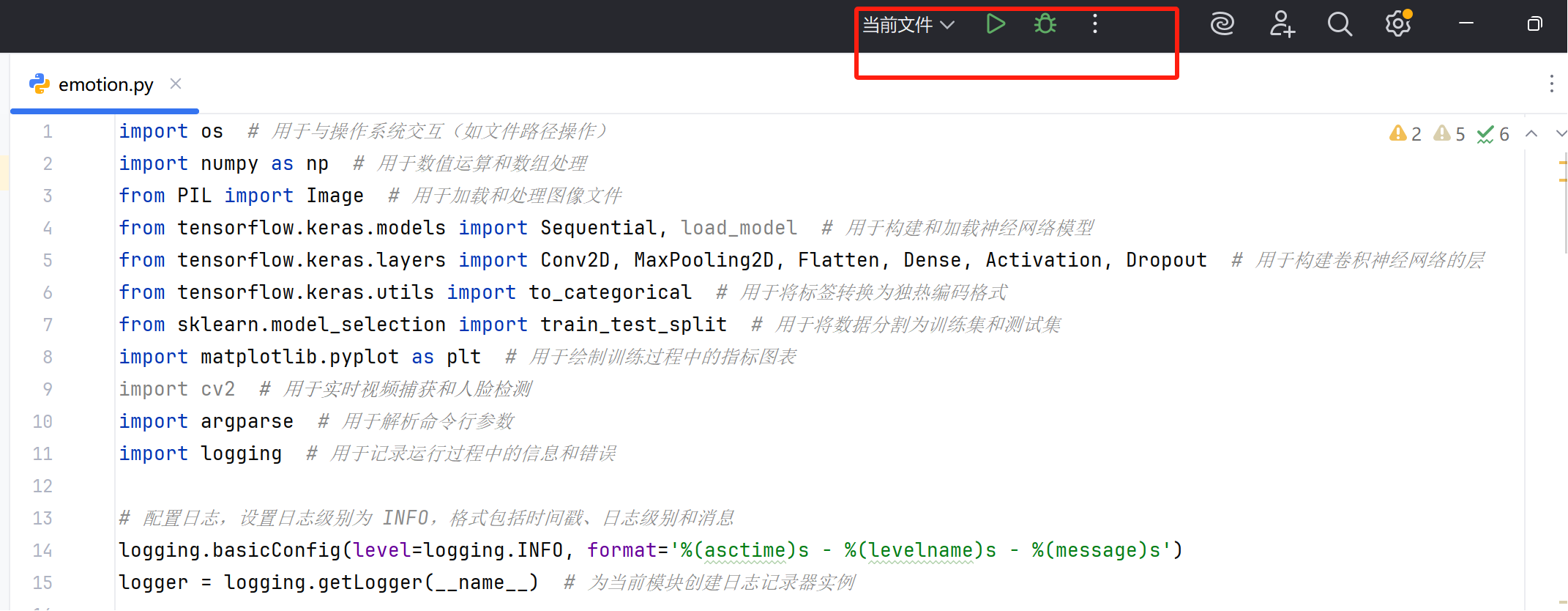
2.按下面的训练代码模板创建emotion.py文件。
import os
import numpy as np
from PIL import Image
from tensorflow.keras.models import Sequential, load_model
from tensorflow.keras.layers import Conv2D, MaxPooling2D, Flatten, Dense, Activation, Dropout
from tensorflow.keras.utils import to_categorical
from sklearn.model_selection import train_test_split
import matplotlib.pyplot as plt
import cv2
import argparse
import logging
import tkinter as tk
from tkinter import ttk, messagebox

# 配置日志
logging.basicConfig(level=logging.INFO, format='%(asctime)s - %(levelname)s - %(message)s')
logger = logging.getLogger(__name__)

def load_images(image_directory):
    labels = []
    images = []
    label_map = {'angry': 0, 'disgust': 1, 'fear': 2, 'happy': 3, 'sad': 4, 'surprise': 5, 'neutral': 6}

    logger.info("正在加载图像数据...")
    for label_dir in label_map.keys():
        class_dir = os.path.join(image_directory, label_dir)
        if not os.path.exists(class_dir):
            raise FileNotFoundError(f"未找到目录:{class_dir}")
        for image_path in os.listdir(class_dir):
            try:
                image = Image.open(os.path.join(class_dir, image_path))
                image = image.convert('L')
                image = image.resize((48, 48))
                image_array = np.array(image).astype('float32') / 255
                image_array = np.expand_dims(image_array, axis=-1)
                images.append(image_array)
                labels.append(label_map[label_dir])
            except Exception as e:
                logger.warning(f"加载图像 {image_path} 失败:{e}")

    images = np.array(images)
    labels = np.array(labels)
    labels_one_hot = to_categorical(labels, num_classes=7)

    logger.info(f"图像加载完成:{images.shape},标签:{labels.shape}")
    return images, labels_one_hot

def build_model():
    model = Sequential([
        Conv2D(32, (3, 3), padding='same', input_shape=(48, 48, 1)),
        Activation('relu'),
        MaxPooling2D(pool_size=(2, 2)),
        Conv2D(64, (3, 3), padding='same'),
        Activation('relu'),
        MaxPooling2D(pool_size=(2, 2)),
        Conv2D(128, (3, 3), padding='same'),
        Activation('relu'),
        MaxPooling2D(pool_size=(2, 2)),
        Flatten(),
        Dense(256),
        Activation('relu'),
        Dropout(0.5),
        Dense(7),
        Activation('softmax')
    ])
    model.compile(optimizer='adam', loss='categorical_crossentropy', metrics=['accuracy'])
    model.summary()
    return model

def train_model(image_directory, model_path):
    images, labels = load_images(image_directory)
    logger.info("前700个标签样本:")
    for i in range(min(700, len(labels))):
        logger.info(f"标签 {i}:{labels[i]}")

    x_train, x_test, y_train, y_test = train_test_split(images, labels, test_size=0.2, random_state=42)
    label_counts = np.sum(labels, axis=0)
    logger.info(f"每类样本数量:{label_counts}")
    logger.info(f"样本图像维度:{images.shape}")
    logger.info(f"样本标签维度:{labels.shape}")

    model = build_model()
    logger.info("开始训练模型...")
    history = model.fit(x_train, y_train, epochs=20, batch_size=64, validation_split=0.1)

    model.save(model_path)
    logger.info(f"模型训练完成,已保存为:{model_path}")

    test_loss, test_acc = model.evaluate(x_test, y_test, verbose=2)
    logger.info(f"测试集准确率:{test_acc}")

    plt.figure(figsize=(12, 4))
    plt.subplot(1, 2, 1)
    plt.plot(history.history['accuracy'], label='Training Accuracy')
    plt.plot(history.history['val_accuracy'], label='Validation Accuracy')
    plt.legend()
    plt.title('Training and Validation Accuracy')
    plt.subplot(1, 2, 2)
    plt.plot(history.history['loss'], label='Training Loss')
    plt.plot(history.history['val_loss'], label='Validation Loss')
    plt.legend()
    plt.title('Training and Validation Loss')
    plt.savefig('training_plot.png')
    plt.close()
    logger.info("训练过程图表已保存为:training_plot.png")

def select_camera():
    """
    显示一个 tkinter 窗口,列出所有可用摄像头,供用户选择。
    返回选中的摄像头索引和后端。
    """
    # 检测可用摄像头
    backends = [
        (cv2.CAP_DSHOW, "DirectShow"),
        (cv2.CAP_MSMF, "MSMF"),
        (cv2.CAP_FFMPEG, "FFmpeg"),
        (cv2.CAP_ANY, "Default")
    ]
    cameras = []
    max_index = 10  # 最大尝试索引

    # 尝试 OBS Virtual Camera(Windows/macOS)
    try:
        cap = cv2.VideoCapture("OBS Virtual Camera", cv2.CAP_DSHOW)
        if cap.isOpened():
            cameras.append(("OBS Virtual Camera", "OBS Virtual Camera", cv2.CAP_DSHOW))
            cap.release()
    except:
        pass

    # 尝试 EV虚拟摄像头(假设是 EpocCam 或类似)
    try:
        cap = cv2.VideoCapture("EpocCam Camera", cv2.CAP_DSHOW)
        if cap.isOpened():
            cameras.append(("EpocCam Camera", "EpocCam Camera", cv2.CAP_DSHOW))
            cap.release()
    except:
        pass

    # 尝试数字索引
    for backend, backend_name in backends:
        for idx in range(-1, max_index):
            cap = cv2.VideoCapture(idx, backend)
            if cap.isOpened():
                name = f"Camera {idx} ({backend_name})"
                cameras.append((name, idx, backend))
                logger.info(f"找到摄像头:{name}")
                cap.release()

    if not cameras:
        logger.error("未检测到任何可用摄像头")
        raise RuntimeError("未检测到可用摄像头,请检查摄像头连接或驱动")

    # 创建 tkinter 窗口
    root = tk.Tk()
    root.title("选择摄像头")
    root.geometry("300x150")

    label = tk.Label(root, text="请选择摄像头:")
    label.pack(pady=10)

    # 下拉菜单
    selected_camera = tk.StringVar()
    camera_names = [cam[0] for cam in cameras]
    selected_camera.set(camera_names[0])  # 默认选择第一个

    dropdown = ttk.Combobox(root, textvariable=selected_camera, values=camera_names, state="readonly")
    dropdown.pack(pady=10)

    # 确认按钮
    result = {"index": None, "backend": None}

    def on_confirm():
        selected_name = selected_camera.get()
        for name, idx, backend in cameras:
            if name == selected_name:
                result["index"] = idx
                result["backend"] = backend
                break
        root.destroy()

    confirm_button = tk.Button(root, text="确认", command=on_confirm)
    confirm_button.pack(pady=10)

    root.mainloop()

    if result["index"] is None:
        raise RuntimeError("未选择摄像头")
    return result["index"], result["backend"]

def real_time_detection(model_path, haar_path, camera_index=0):
    # 加载模型
    try:
        model = load_model(model_path)
    except FileNotFoundError:
        raise FileNotFoundError(f"未找到模型文件:{model_path}")

    emotions = ['Angry', 'Disgust', 'Fear', 'Happy', 'Sad', 'Surprise', 'Neutral']
    if not os.path.exists(haar_path):
        raise FileNotFoundError(f"未找到Haar级联文件:{haar_path}")
    face_cascade = cv2.CascadeClassifier(haar_path)

    # 如果未指定 camera_index,则弹出选择窗口
    if camera_index is None:
        camera_index, backend = select_camera()
    else:
        backend = cv2.CAP_DSHOW  # 默认使用 DirectShow

    # 打开摄像头
    cap = cv2.VideoCapture(camera_index, backend)
    if not cap.isOpened():
        logger.error(f"无法打开摄像头:索引 {camera_index},后端 {backend}")
        # 尝试其他后端
        for alt_backend, backend_name in [
            (cv2.CAP_MSMF, "MSMF"),
            (cv2.CAP_FFMPEG, "FFmpeg"),
            (cv2.CAP_ANY, "Default")
        ]:
            cap = cv2.VideoCapture(camera_index, alt_backend)
            if cap.isOpened():
                logger.info(f"找到可用摄像头:索引 {camera_index},后端 {backend_name}")
                break
        else:
            raise RuntimeError("未检测到可用摄像头,请检查 EV虚拟摄像头或 OBS Virtual Camera 连接状态")

    # 设置分辨率(适配 EV虚拟摄像头或 IP Webcam)
    cap.set(cv2.CAP_PROP_FRAME_WIDTH, 640)
    cap.set(cv2.CAP_PROP_FRAME_HEIGHT, 480)

    logger.info("摄像头启动成功,按 'q' 键退出")

    window_name = "Emotion Detector"
    cv2.namedWindow(window_name, cv2.WINDOW_NORMAL)

    while True:
        ret, frame = cap.read()
        if not ret:
            logger.error("无法读取摄像头帧")
            break

        gray = cv2.cvtColor(frame, cv2.COLOR_BGR2GRAY)
        faces = face_cascade.detectMultiScale(gray, 1.3, 5)

        for (x, y, w, h) in faces:
            cv2.rectangle(frame, (x, y), (x + w, y + h), (255, 0, 0), 2)
            face = gray[y:y + h, x:x + w]
            face = cv2.resize(face, (48, 48))
            face = face.astype('float32') / 255.0
            face = np.expand_dims(face, axis=(0, -1))

            preds = model.predict(face, verbose=0)
            emotion = emotions[np.argmax(preds)]

            cv2.putText(frame, emotion, (x, y - 10),
                        cv2.FONT_HERSHEY_SIMPLEX, 0.9, (36, 255, 12), 2)

        cv2.imshow(window_name, frame)
        key = cv2.waitKey(1) & 0xFF
        if key == ord('q') or cv2.getWindowProperty(window_name, cv2.WND_PROP_VISIBLE) < 1:
            break

    cap.release()
    cv2.destroyAllWindows()
    logger.info("检测结束,摄像头释放")

def main():
    parser = argparse.ArgumentParser(description='情绪识别模型训练与实时检测')
    parser.add_argument('--mode', type=str, choices=['train', 'detect'], default='train')
    parser.add_argument('--image_dir', type=str, default=r'D:\demo\emotion\train')
    parser.add_argument('--model_path', type=str, default=r'D:\demo\emotion\model.h5')
    parser.add_argument('--haar_path', type=str, default=r'D:\demo\emotion\haarcascade_frontalface_default.xml')
    parser.add_argument('--camera_index', type=int, default=None, help='摄像头索引,设为 None 时弹出选择界面')
    args = parser.parse_args()

    if args.mode == 'train':
        train_model(args.image_dir, args.model_path)
    elif args.mode == 'detect':
        real_time_detection(args.model_path, args.haar_path, args.camera_index)

if __name__ == '__main__':
    main()
3.修改数据集路径和模型输出路径。
4.点击运行按钮,排错,开始训练。
步骤四:观察训练过程日志
训练过程日志: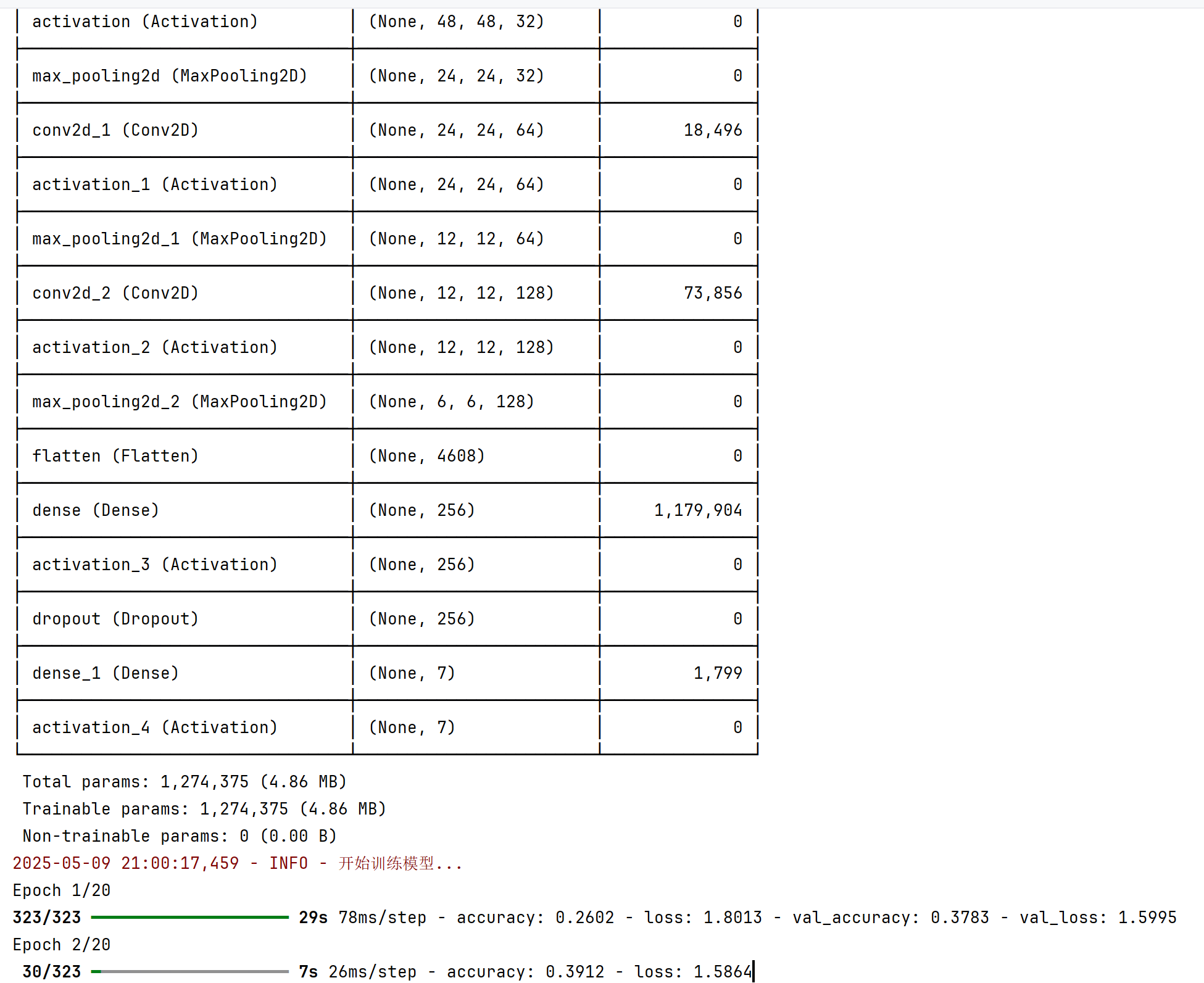
步骤五:验证模型
安装EVCam:
电脑端:下载并安装EVCam;
https://192.168.189.3:8182/down/srVFWdEx3BOD.exe手机端: 手机应用市场搜索EV 虚拟摄像头安装;
连接:
手机端连接上实训室wifi信号名称630或630_5G,密码12345687。
打开手机EVCam App(虚拟摄像头),选择自己的电脑名称(PC**)并连接。
验证摄像头:
在PyCharm中新建testcamera.py文件,运行以下代码:
import cv2
import tkinter as tk
from tkinter import ttk, messagebox
import logging

# 配置日志
logging.basicConfig(level=logging.INFO, format='%(asctime)s - %(levelname)s - %(message)s')
logger = logging.getLogger(__name__)

def find_available_cameras(max_index=3):
    """
    检测所有可用摄像头,返回去重后的摄像头信息列表。
    每个条目包含 (名称, 索引, 后端)。
    """
    cameras = []
    seen_devices = set()  # 用于去重
    backends = [
        (cv2.CAP_DSHOW, "DirectShow"),
        (cv2.CAP_MSMF, "MSMF"),
        (cv2.CAP_ANY, "默认")
    ]

    # 尝试 EpocCam Camera
    try:
        cap = cv2.VideoCapture("EpocCam Camera", cv2.CAP_DSHOW)
        if cap.isOpened():
            cameras.append(("EpocCam Camera", "EpocCam Camera", cv2.CAP_DSHOW))
            seen_devices.add("EpocCam Camera")
            cap.release()
            logger.info("找到 EpocCam Camera")
        else:
            logger.info("未找到 EpocCam Camera")
            cap.release()
    except Exception as e:
        logger.debug(f"检测 EpocCam Camera 失败:{e}")

    # 尝试数字索引摄像头
    for backend, backend_name in backends:
        for idx in range(max_index):
            # 跳过已检测到的设备
            device_key = f"{idx}_{backend}"
            if device_key in seen_devices:
                continue

            try:
                cap = cv2.VideoCapture(idx, backend)
                if cap.isOpened():
                    # 验证摄像头是否有效
                    ret, _ = cap.read()
                    if ret:
                        name = f"摄像头 {idx} ({backend_name})"
                        cameras.append((name, idx, backend))
                        seen_devices.add(device_key)
                        logger.info(f"找到摄像头:{name}")
                    cap.release()
                else:
                    cap.release()
            except Exception as e:
                logger.debug(f"检测索引 {idx} (后端 {backend_name}) 失败:{e}")

    if not cameras:
        logger.error("未检测到任何可用摄像头")
        raise RuntimeError("未检测到可用摄像头,请检查摄像头连接或驱动")

    return cameras

def select_camera():
    """
    显示 tkinter 窗口,列出所有可用摄像头,供用户选择。
    返回选中的摄像头索引和后端。
    """
    cameras = find_available_cameras()

    # 创建 tkinter 窗口
    root = tk.Tk()
    root.title("选择摄像头")
    root.geometry("300x150")

    label = tk.Label(root, text="请选择摄像头:")
    label.pack(pady=10)

    # 下拉菜单
    selected_camera = tk.StringVar()
    camera_names = [cam[0] for cam in cameras]
    selected_camera.set(camera_names[0])  # 默认选择第一个

    dropdown = ttk.Combobox(root, textvariable=selected_camera, values=camera_names, state="readonly")
    dropdown.pack(pady=10)

    # 确认按钮
    result = {"index": None, "backend": None}

    def on_confirm():
        selected_name = selected_camera.get()
        for name, idx, backend in cameras:
            if name == selected_name:
                result["index"] = idx
                result["backend"] = backend
                break
        root.destroy()

    confirm_button = tk.Button(root, text="确认", command=on_confirm)
    confirm_button.pack(pady=10)

    root.mainloop()

    if result["index"] is None:
        raise RuntimeError("未选择摄像头")
    return result["index"], result["backend"]

def preview_camera(index, backend):
    """
    打开指定摄像头并实时预览,按 ESC 或关闭窗口退出。
    """
    cap = cv2.VideoCapture(index, backend)
    if not cap.isOpened():
        logger.error(f"无法打开摄像头:索引 {index},后端 {backend}")
        # 尝试其他后端
        for alt_backend, backend_name in [
            (cv2.CAP_MSMF, "MSMF"),
            (cv2.CAP_ANY, "默认")
        ]:
            cap = cv2.VideoCapture(index, alt_backend)
            if cap.isOpened():
                logger.info(f"找到可用摄像头:索引 {index},后端 {backend_name}")
                break
        else:
            raise RuntimeError("无法打开摄像头,请检查连接状态")

    # 设置分辨率
    cap.set(cv2.CAP_PROP_FRAME_WIDTH, 640)
    cap.set(cv2.CAP_PROP_FRAME_HEIGHT, 480)

    window_name = "摄像头预览"
    cv2.namedWindow(window_name, cv2.WINDOW_NORMAL)

    logger.info(f"正在预览摄像头 {index} (后端: {backend}),按 ESC 键或关闭窗口退出")

    while True:
        ret, frame = cap.read()
        if not ret:
            logger.error("无法读取画面")
            break

        cv2.imshow(window_name, frame)
        key = cv2.waitKey(1) & 0xFF
        if key == 27 or cv2.getWindowProperty(window_name, cv2.WND_PROP_VISIBLE) < 1:
            break

    cap.release()
    cv2.destroyAllWindows()
    logger.info("预览结束,摄像头释放")

def main():
    try:
        camera_index, backend = select_camera()
        preview_camera(camera_index, backend)
    except Exception as e:
        logger.error(f"程序运行失败:{e}")
        messagebox.showerror("错误", f"程序运行失败:{e}")

if __name__ == "__main__":
    main()
效果如下:
验证模型:
将训练代码245行的参数修改为detect,
从: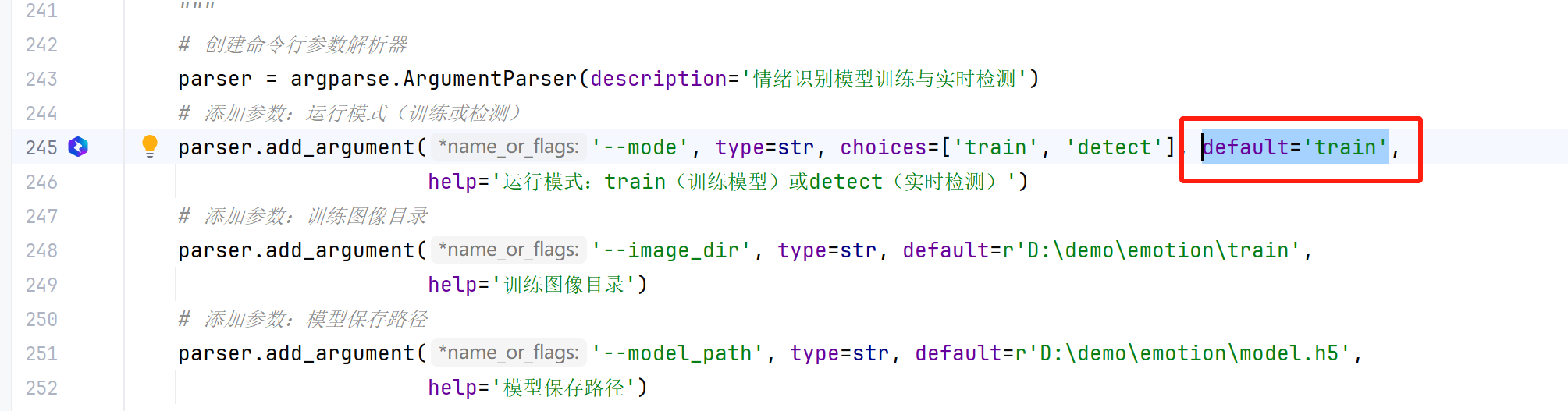
修改为: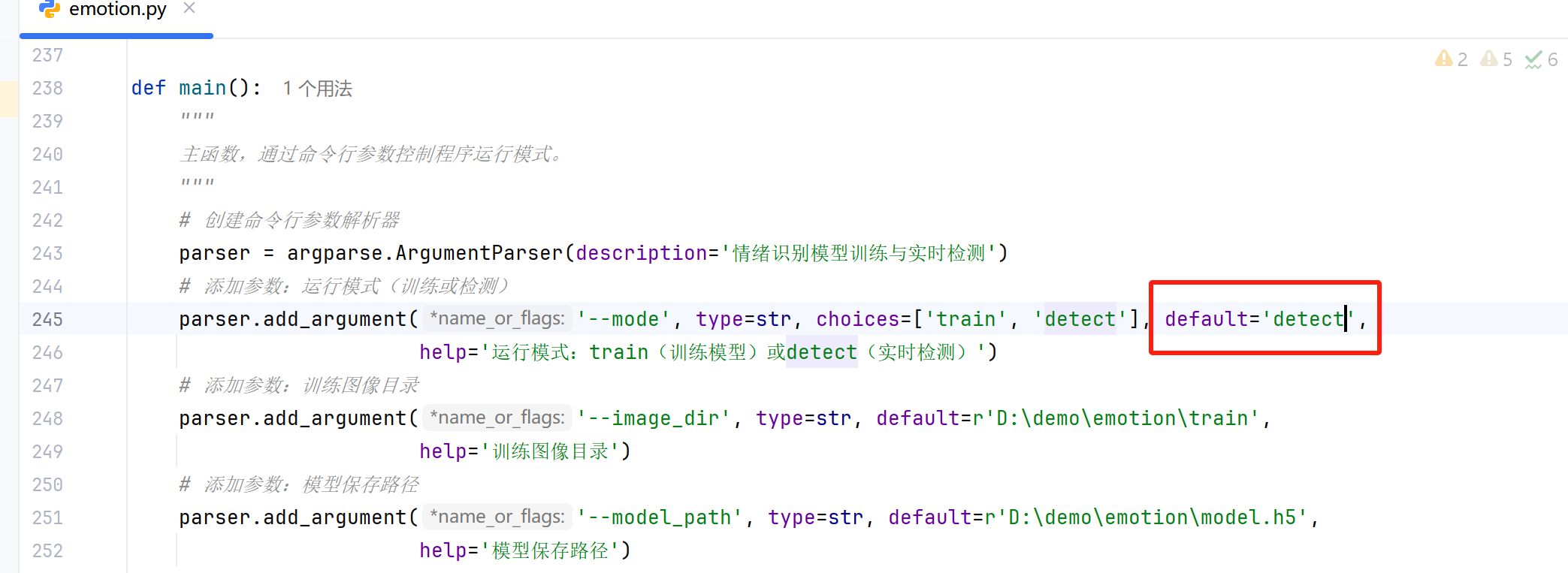
5.再次运行训练代码,进入实时检测摄像头捕捉到的情绪界面,效果如下:。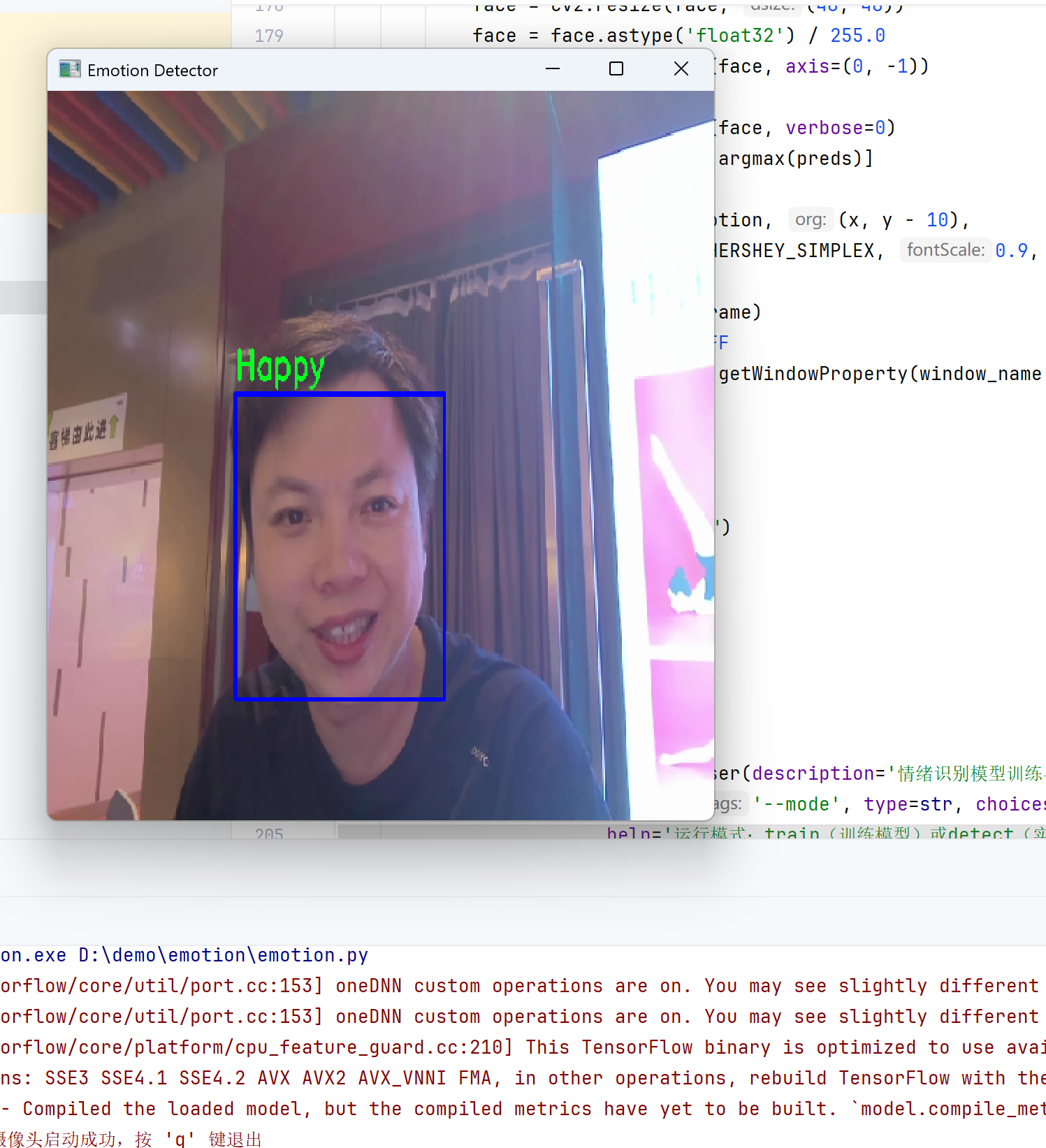
课程ppt
https://192.168.189.3:8182/down/Dd0Eeqztip2P.pptx
样本量2000的模型
作者:信息技术教研室 创建时间:2025-06-26 19:31
最后编辑:信息技术教研室 更新时间:2025-07-11 09:52
最后编辑:信息技术教研室 更新时间:2025-07-11 09:52